
User Interface
Create Report Dialog Box
Use the Create Report dialog box to immediately generate an XLSX report for an object or to save the report as a new dynamic XLSX report object for further configuration.
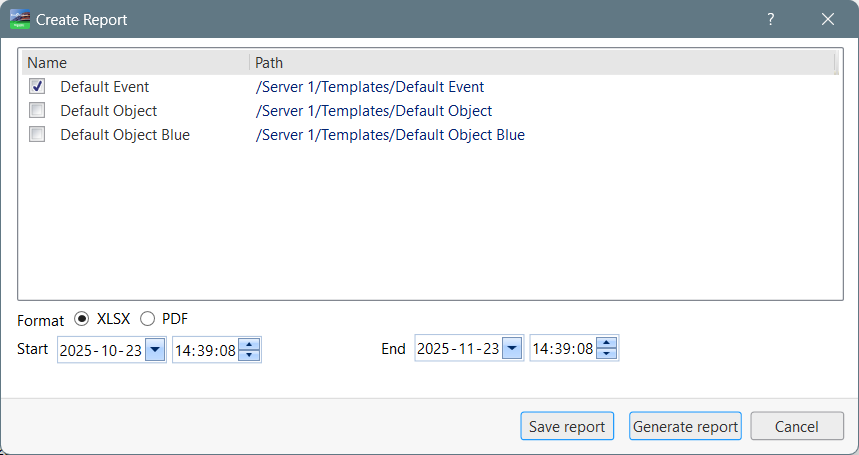
Component | Description |
[Template list] | Select one or more of the available dynamic XLSX templates to use for the object in the report. For more information, see Dynamic XLSX Templates . . |
Format | Select whether to generate the report in the .XLSX or .PDF file format. |
Start | Select the earliest date and time for the report's time range. |
End | Select the latest date and time for the report's time range. |
Save report | Click to open the Save object dialog box where you save the report as a new Dynamic XLSX Report. For more information, see Save Object Dialog Box . . |
Generate Report | Click to generate and open a report file for the chosen file format. |
 Dynamic XLSX Templates
 Save Object Dialog Box